What I look for in a CAT tool: my non-negotiable features
This post is a work in progress. If you think I missed any essential features a CAT tool should have, let me know at info@michaelbeijer.co.uk.
I’m also trying to implement many of these features in my own context-aware, LLM-powered translation & proofreading tool: Supervertaler.
1. Ability to select corresponding pieces of source and target text in the grid
When translating long segments, I like to move down the source and target sides, selecting corresponding pieces of text to ensure I don’t miss anything. A good CAT tool should allow you to make two different selections at the same time. This is one of those features you don’t realize you need until you try it.

2. Quick way to set certain terms in your termbase to forbidden/preferred
A termbase becomes dramatically more useful when you can quickly mark terms as preferred or forbidden during day-to-day work.
Practical expectations for me:
- One shortcut-driven workflow to mark a term pair as preferred/forbidden.
- Clear visual feedback in the UI.
- It should be easy to undo/revert the status.
3. A mature source/target document preview pane
Only a very few CAT tools feature a proper document previewing system. memoQ currently has the best one I have ever used.
Here’s what I am looking for in a preview system:
- The preview pane should be detachable and resizable (including on a second monitor).
- It should be possible to snap the preview pane to any part of the main UI.
- It should be possible to increase/decrease the font size, preferably via Ctrl+scroll.
- It should be possible to toggle between source and target display in the preview.
- The preview content should auto-update as you edit.
- It should be possible to scroll the preview and click somewhere in it to jump to the relevant segment in the grid.
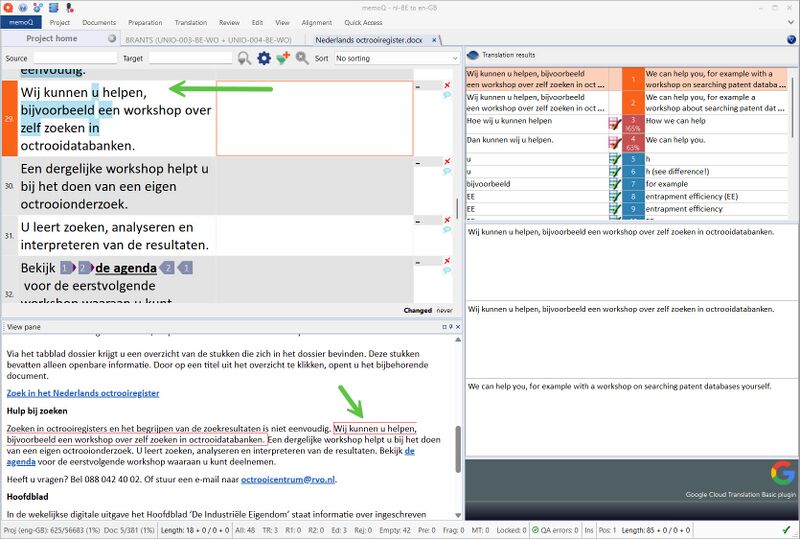
The memoQ preview pane features all of the above, and once you have gotten used to using these features, you can’t go back.
4. Ability to import/export a bilingual table format into the project (with segment locking, change tracking, etc.)
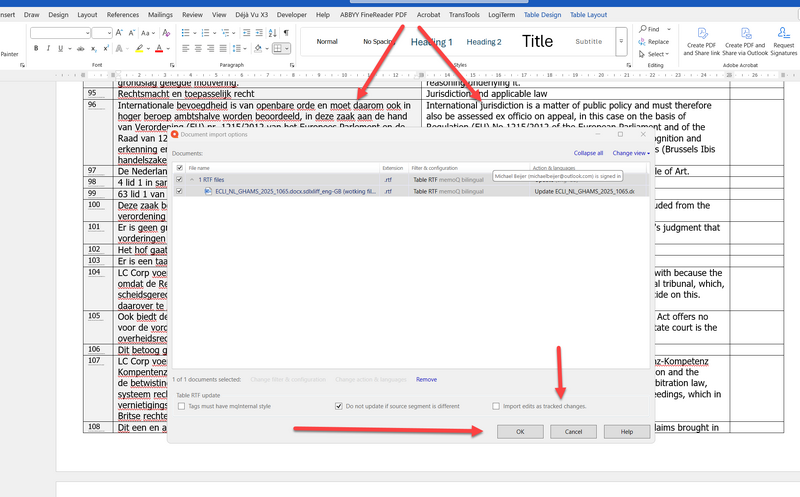
A CAT tool needs a mature import/export system, allowing me to get translations into and out of the project via a robust bilingual table format (either in .docx or .rtf).
Such a system should include:
- The option of having the import/export system ignore any locked segments in the grid.
- Tracked Changes, so I can see exactly what got imported into the grid during an import.
5. All actions (such as confirming segments, adding glossary terms, etc.) must be fast and responsive
One of the main things that makes a CAT tool feel good or bad is how long things take. How quickly routine actions are completed can make the difference between a tool that feels intuitive and a tool that feels frustrating.
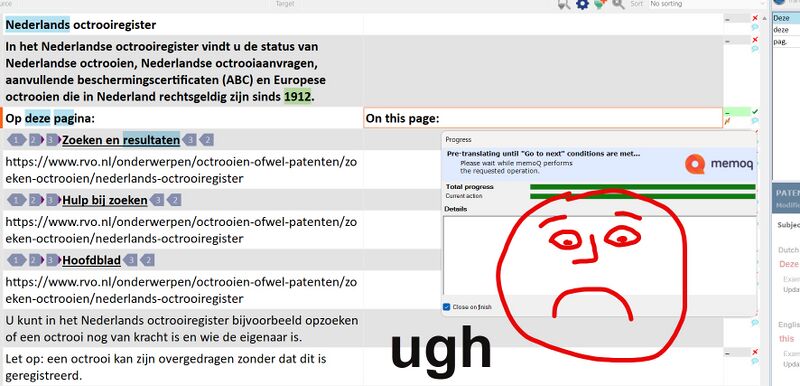
For example, something that really annoys me about working with memoQ is how sluggish it can feel at times. Confirming a segment can sometimes take up to five seconds. While that may not sound significant in isolation, over the course of a large project with thousands of short segments, these delays can quickly add up—potentially doubling the time required to complete a job. Not only does this affect productivity, but the constant waiting can be emotionally draining as well.
The same principle applies to adding new entries to the termbase. In some tools – like CafeTran (or memoQ) – this operation is nearly instantaneous and requires just a simple shortcut. However, this isn’t always the case across all CAT tools. Ideally, a user should be able to select the relevant terms and add them to their glossary with a single action – quickly and without interruption.
When these core operations are fast and seamless, the CAT tool feels responsive, keeping users productive and satisfied.
6. The tool must allow easily switching between sentence-based and paragraph-based segmentation
When working on marketing or creative content, a rigid sentence-by-sentence translation approach can seriously undermine the natural flow of the text. Unlike technical or legal documents, marketing copy relies on rhythm, nuance and cohesion across entire paragraphs.
A good CAT tool must therefore allow you to seamlessly switch between sentence-based and paragraph-based segmentation. Forcing the text into isolated segments can lead to awkward, stilted translations that miss the mark. You need the freedom to reshape, reorder and reformulate ideas across sentences – not be trapped by them.
Source: https://michaelbeijer.co.uk/what_i_look_for_in_a_cat_tool