Using Talon Voice and Wispr Flow at the same time
If you use Talon Voice for hands-free computer control, you may have wondered whether you can dictate text with another tool at the same time. The answer is yes — with a small trick.
The problem
Talon listens to everything you say. Even in command mode (where it only responds to defined commands, not free dictation), it still has the microphone open and will occasionally misinterpret your speech as a command. If you’re dictating a translation with Wispr Flow and you say something that happens to sound like a Talon command, things get messy fast.
What we need is a way to put Talon to sleep whenever Wispr Flow is active, and wake it up again when we’re done dictating.
The solution
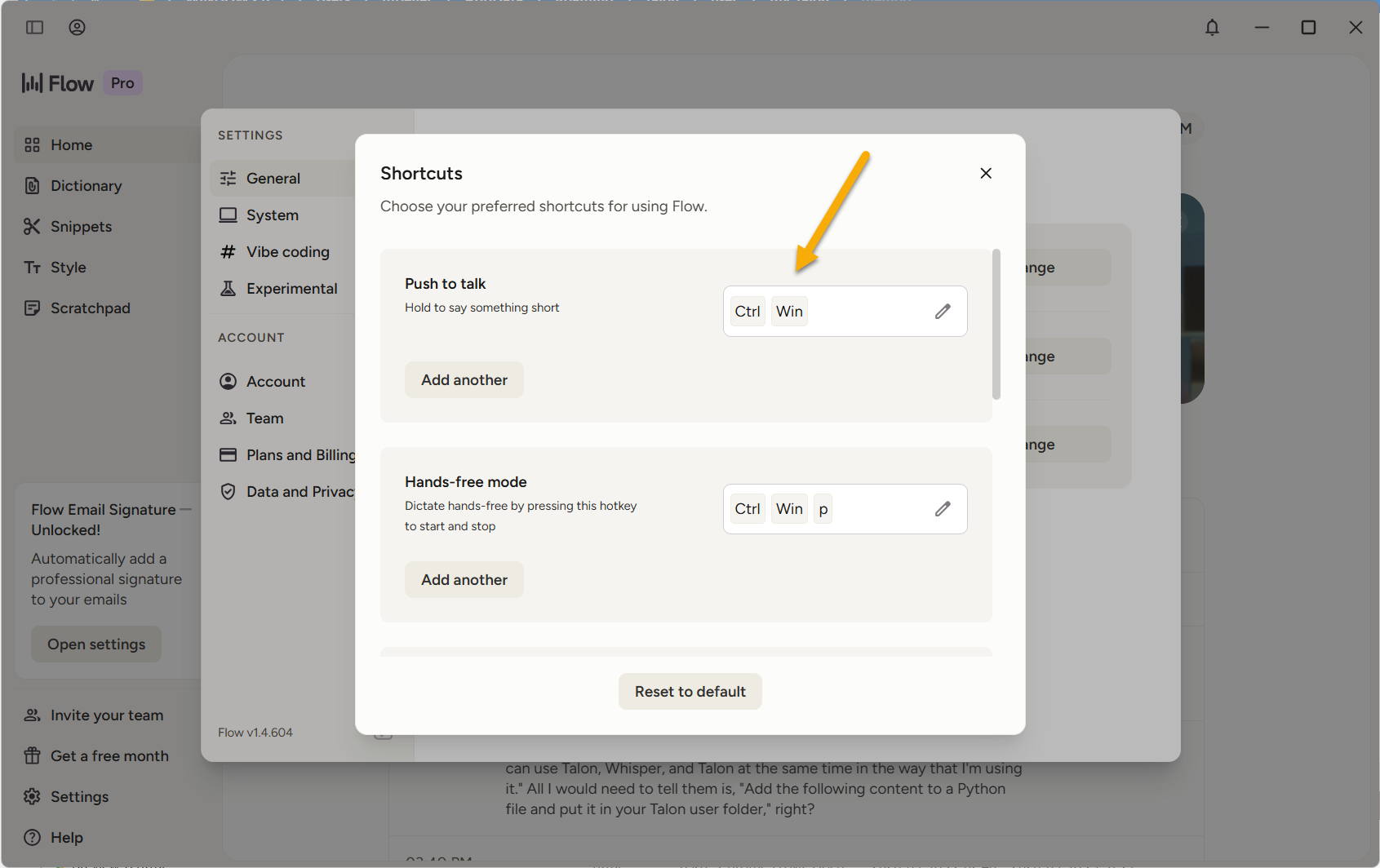
Wispr Flow uses a push-to-talk model: you hold down a key combination to dictate, and it stops listening when you let go. In my case, that’s Ctrl+Win. The idea is simple — while that key combo is held down, Talon sleeps. When you release it, Talon wakes back up.
Talon’s .talon key bindings don’t reliably capture modifier-only key combos, so we use a small Python script that polls the key state directly via the Windows API.
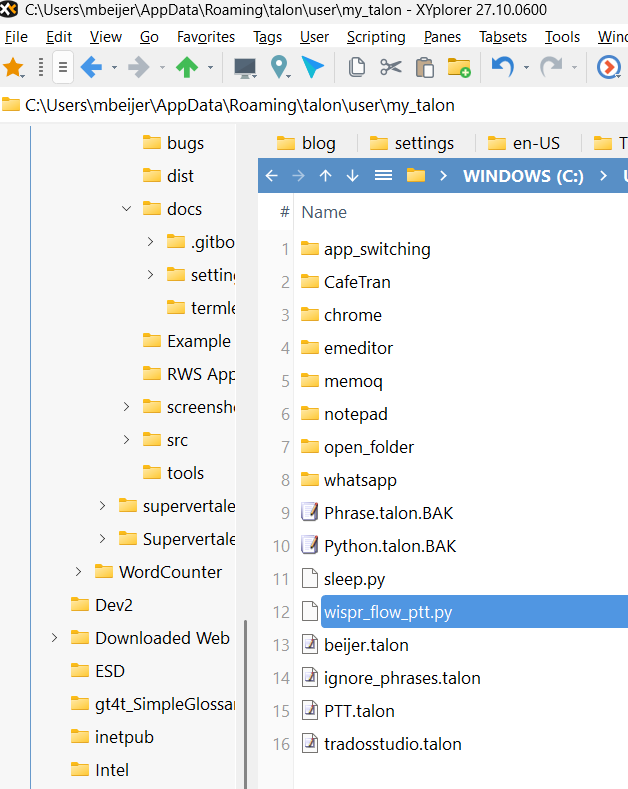
Create a file called wispr_flow_ptt.py in your Talon user folder (e.g. %APPDATA%\Talon\user\) with the following content:
"""Sleep Talon while Ctrl+Win is held (Wispr Flow PTT)."""

from talon import cron, actions
import ctypes

user32 = ctypes.windll.user32
VK_LWIN = 0x5B
VK_RWIN = 0x5C
VK_CONTROL = 0x11

is_held = False

def poll():
    global is_held
    ctrl = user32.GetAsyncKeyState(VK_CONTROL) & 0x8000
    win = (user32.GetAsyncKeyState(VK_LWIN) & 0x8000) or (user32.GetAsyncKeyState(VK_RWIN) & 0x8000)
    both_down = bool(ctrl and win)

    if both_down and not is_held:
        is_held = True
        actions.speech.disable()
    elif not both_down and is_held:
        is_held = False
        actions.speech.enable()

cron.interval("50ms", poll)
That’s it. No other changes needed.
How it works
The script checks 20 times per second whether Ctrl and Win are being held down. When they are, it calls speech.disable() to put Talon to sleep. When you let go, it calls speech.enable() to wake Talon back up. The CPU overhead is negligible.
A few notes
- Windows only. The script uses
ctypes.windll, which is a Windows API. Mac and Linux users would need a different approach. - Adjust the key combo if needed. If your Wispr Flow PTT is set to something other than
Ctrl+Win, you’ll need to change the virtual key codes in the script. - Talon commands still work the moment you release the key. There’s no noticeable delay — 50ms is imperceptible.
Update: single-key push-to-talk with AutoHotkey
After using Ctrl+Win for a couple of hours, I noticed it was already causing RSI in my left hand — holding down two modifier keys repeatedly is not great ergonomically. I wanted to go back to using a single key: the media next key in the top right of my keyboard, which I can press comfortably with my right hand.
The problem is that Wispr Flow won’t accept a single key as a push-to-talk shortcut. It insists: “Shortcut must include a modifier key or a valid mouse button.”
The workaround is a tiny AutoHotkey v2 script that remaps the media next key to send Ctrl+Win:
#Requires AutoHotkey v2.0
*Media_Next::Send "{LWin down}{LCtrl down}"
*Media_Next up::Send "{LWin up}{LCtrl up}"
A bit convoluted, but now pressing (and holding) a single key with my right hand triggers Wispr Flow dictation while simultaneously putting Talon to sleep – and when I let go, Talon wakes up again, and Wispr Flow stops listening.
Why not just use Talon’s built-in dictation?
Talon does have a dictation mode, but dedicated dictation tools like Wispr Flow tend to be better at producing natural prose. Wispr Flow uses a large language model to clean up your speech in real time, which makes it particularly good for longer stretches of text. For translation work — where you’re dictating in one language while your interface is in another — having a specialised dictation tool is a real advantage.
Using both tools together gives you the best of both worlds: Talon for precise, hands-free computer control, and Wispr Flow for fluid dictation.
References
- Talon Voice — hands-free computer control via voice commands
- Wispr Flow — AI-powered dictation tool
Comments